Two repayment types
Equal payments vs equal principal: first and last payment, total paid and interest.
Ready-made spreadsheet for Excel and Google Sheets: full month-by-month schedule, upfront costs, payment-to-income check and an overpayment planner.
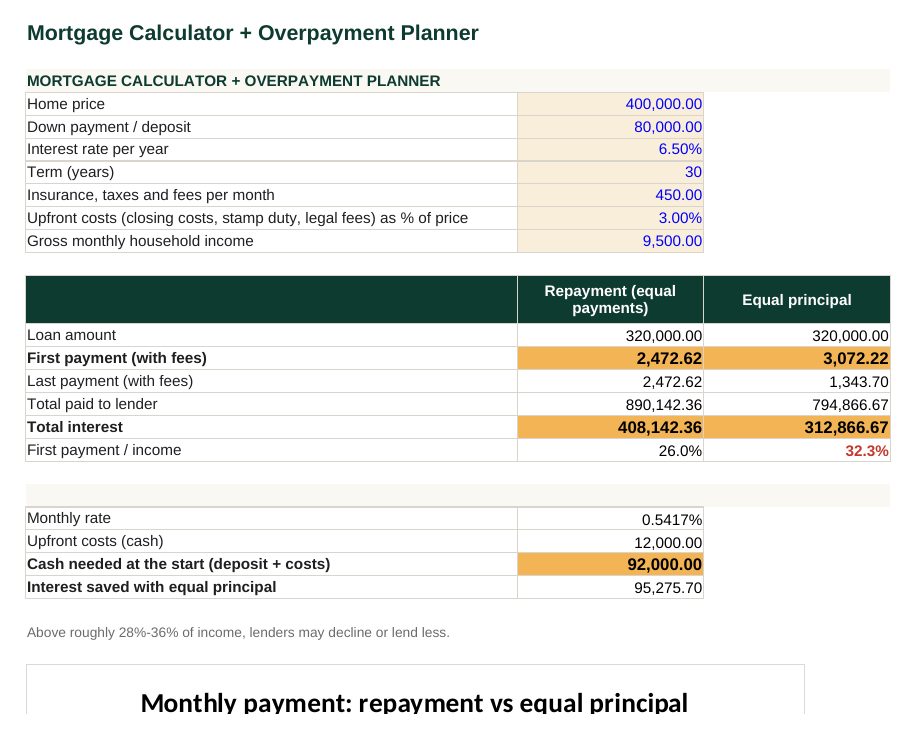
Equal payments vs equal principal: first and last payment, total paid and interest.
Up to 420 payments with interest, principal, fees and balance.
Deposit plus closing costs and taxes: the cash you need on day one.
Shows what share of income the payment takes.
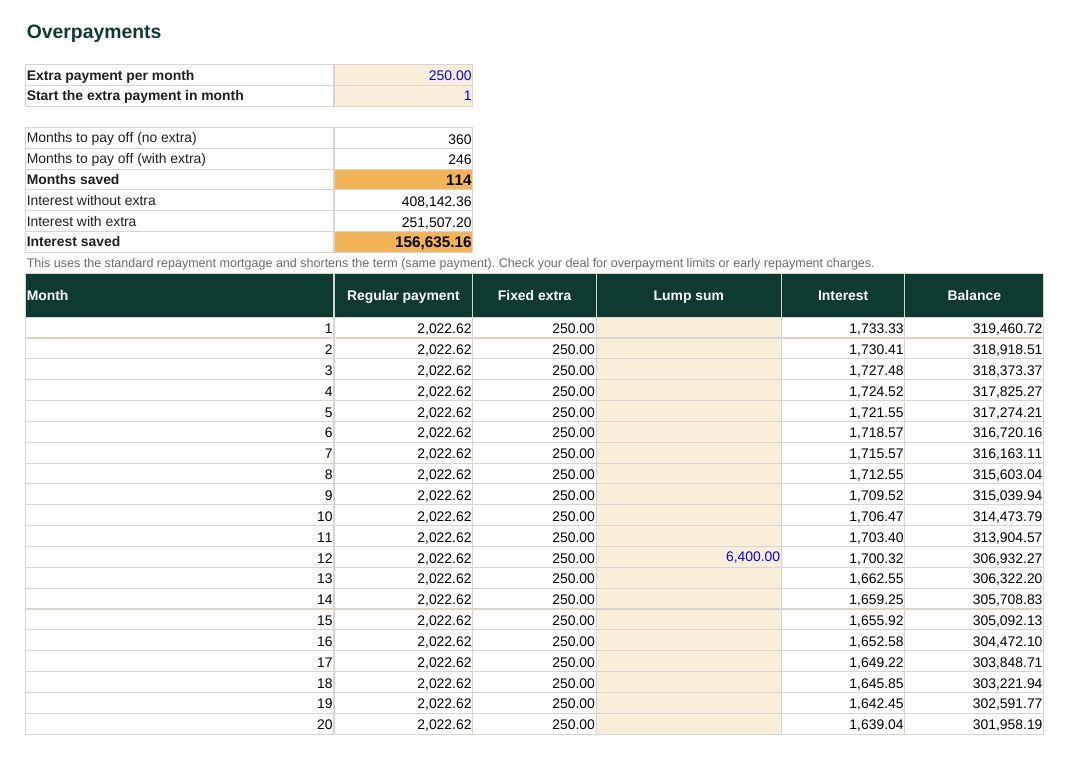
Monthly extras and one-off lump sums: months and interest saved.
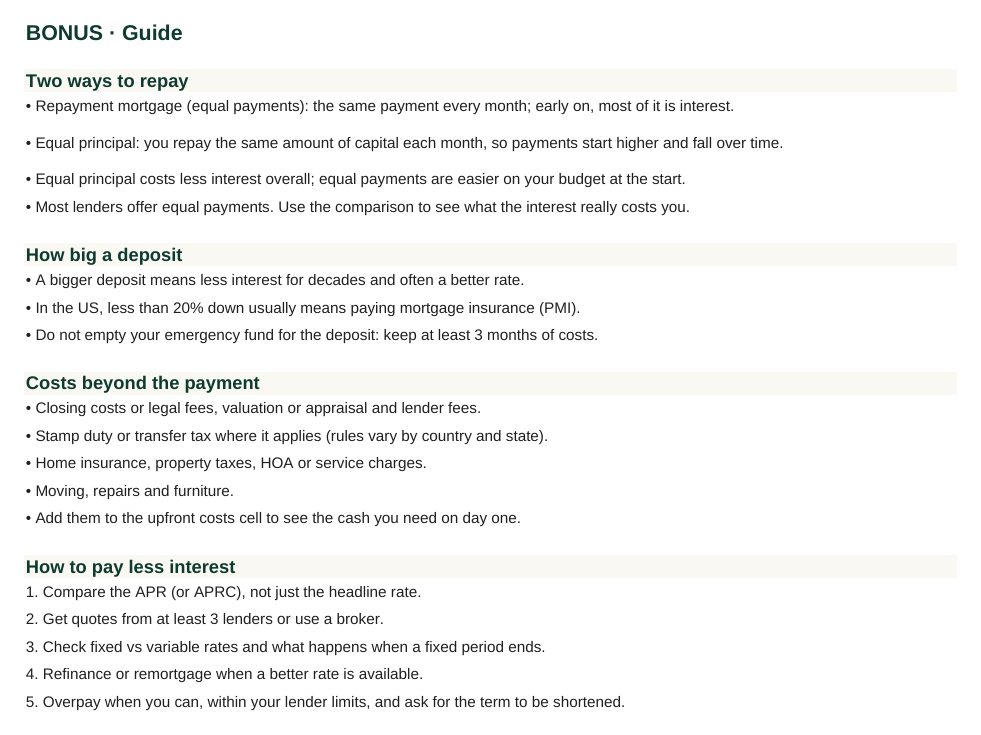
Deposit size, APR, fixed vs variable, refinancing and common mistakes.
12 steps from budget to signing.
It uses the same tested formulas as the Calcula Daily calculators. Every version goes through an automatic check before release: zero formula errors.
A full-year budget and a plan to pay off your debts, with the snowball and avalanche methods.
See productEvery spreadsheet in the shop in one bundle, with all the PDF guides, checklists and bonus simulators.
See productFind out how much to save, where to keep it and the month your emergency fund is ready.
See productYes. Enter the rate, term and fees from your own offer, in any currency.
Yes, in any month on the Overpayments tab.
Yes, with the Google Sheets or Excel app.
No. It works in Google Sheets, which is free, and in LibreOffice and Numbers.
Instantly, by email, right after you pay.
You have 7 days to ask for a full refund, no questions asked.
Yes. It works with any currency.
A Calcula Daily product. The calculators on the site stay free and complete.